
I'm a participant in the Amazon Services LLC Associates Program, an affiliate advertising program designed to provide a means for me to earn fees by linking to Amazon.com and affiliated sites.
If you’ve ever opened your smart thermometer app and stared at a sea of graphs, timers, and pop-ups wondering what half of it means—you’re not alone. Between “guided cooks,” “cloud sync,” and “multi-probe graphs,” even seasoned grillers get lost.
Quick Takeaway:
Smart thermometer apps all do the same thing—track temperature—but the best ones turn that data into decisions. You don’t need to be a data scientist to use them. Once you know how to read the graphs, set your alerts, and trust the AI guidance, these apps make perfect results nearly automatic.
Why this matters: The difference between okay barbecue and consistently amazing cooks isn’t a $500 smoker—it’s how well you understand your thermometer’s app. Once you “speak its language,” you’ll never overcook again.
Product | Connectivity | Sensors | Max Heat | Smart Features | Ease of Use | Best For | Price | |
|---|---|---|---|---|---|---|---|---|
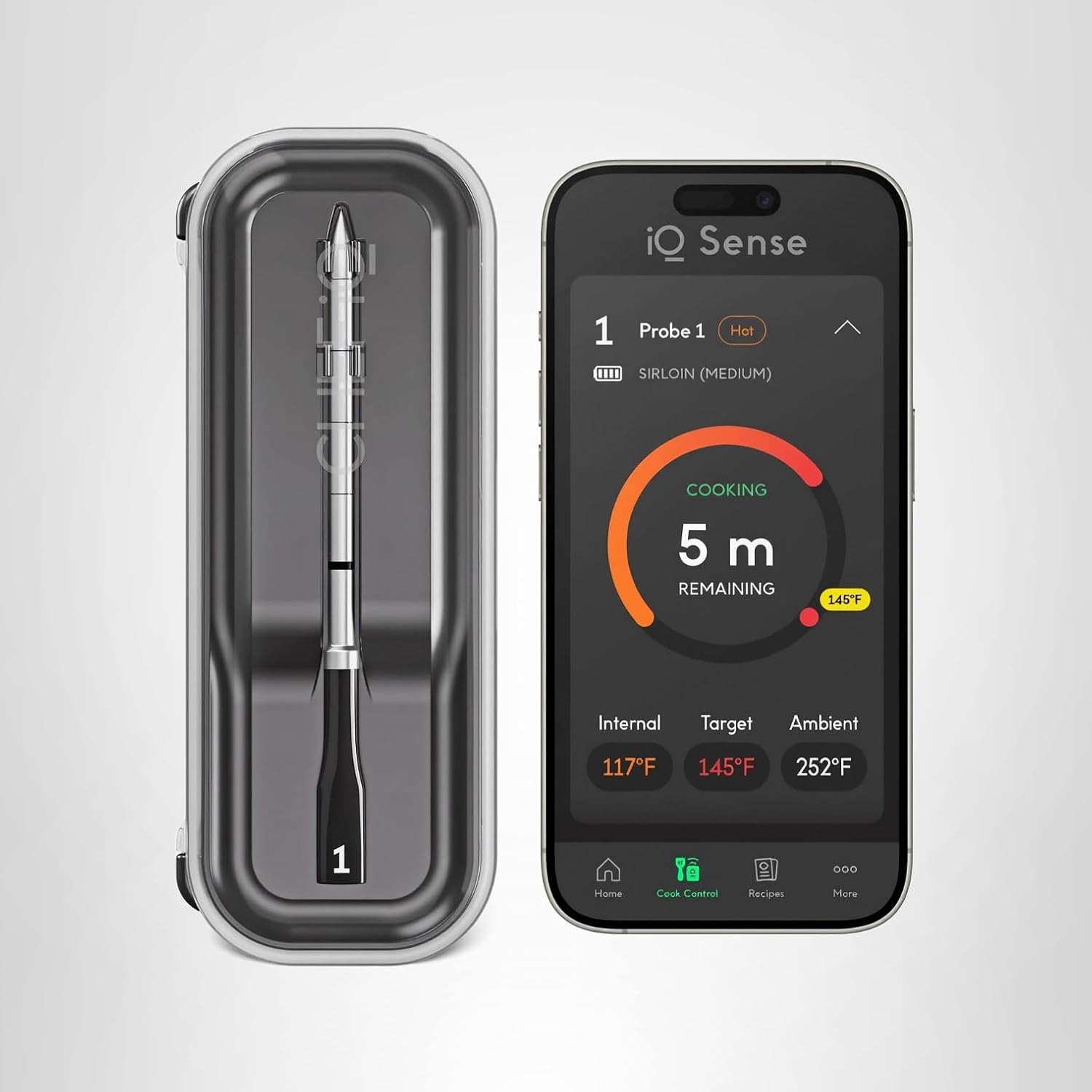 | Wi-Fi 6 + Bluetooth 5.2 | 5 sensors | 752°F ✓ | AI timers, recipes, voice alerts ✓ | Moderate setup | Power users & BBQ enthusiasts |  | |
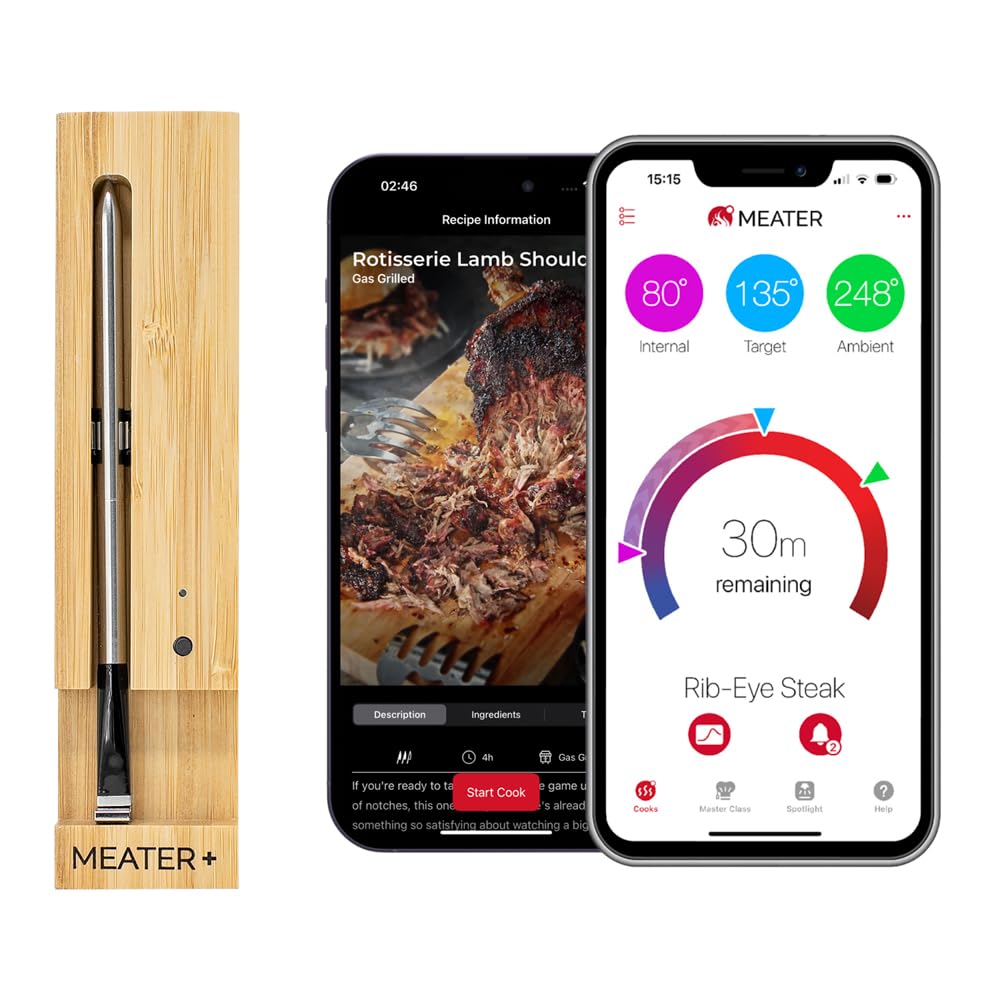 | Bluetooth 5.0 | 2 sensors | 527°F | Predictive cook/rest timers | Easiest ✓ | Everyday grillers | | |
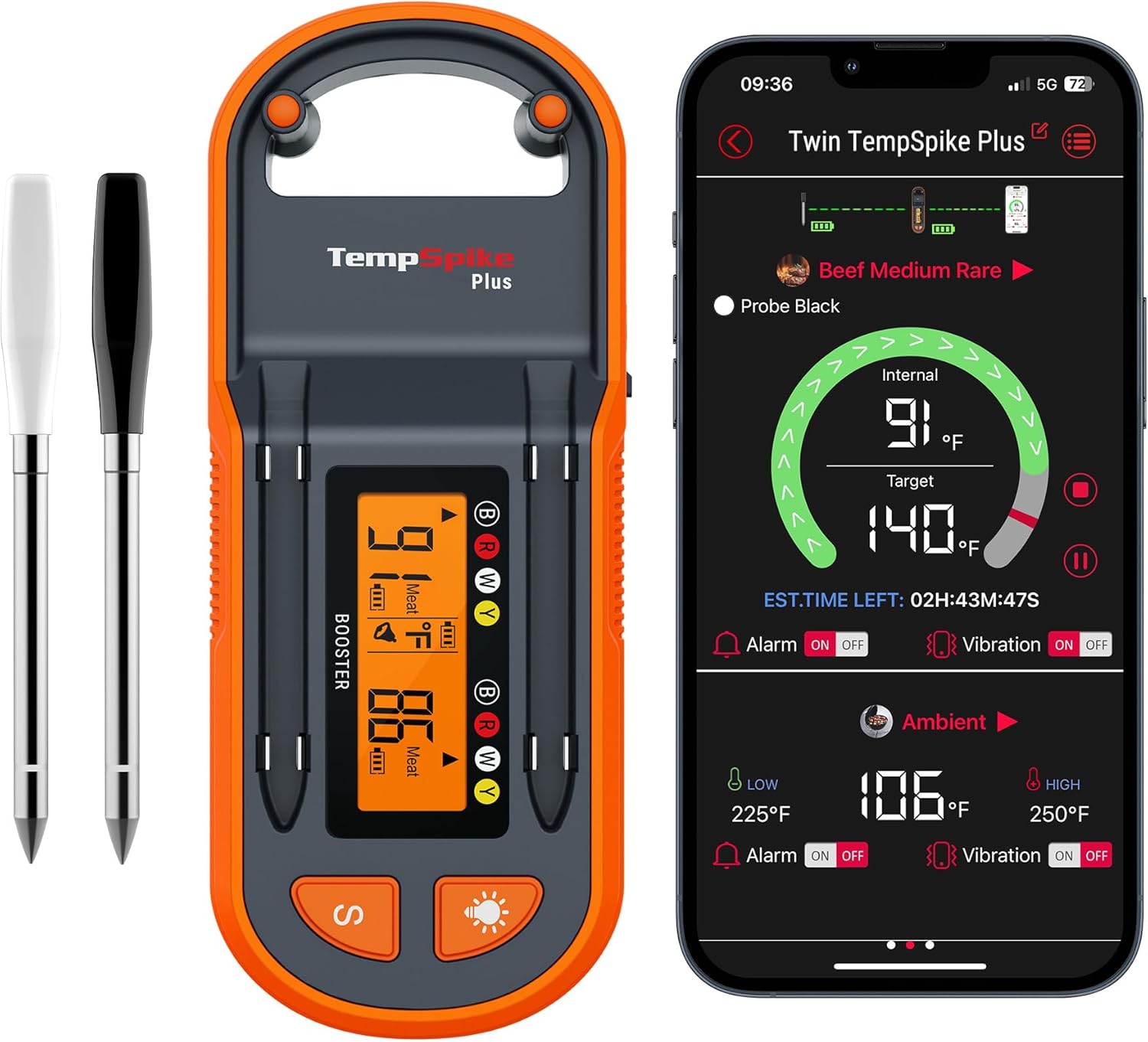 | Bluetooth 5.2 + booster | 2 sensors | 572°F | Graphs + alerts | Very easy ✓ | Budget users | | |
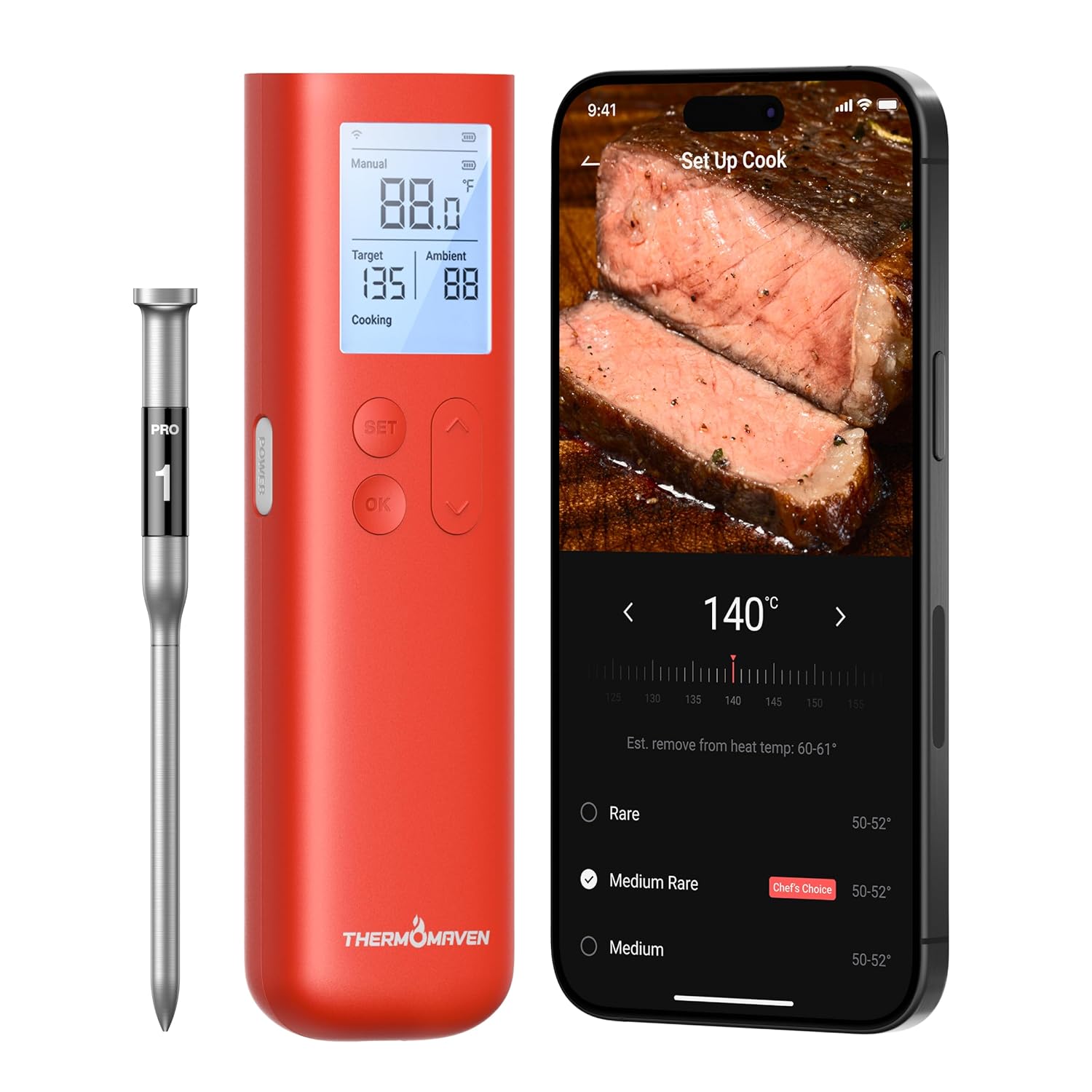 | Wi-Fi + Bluetooth | Multi-probe support | >700°F ✓ | Cloud data, smart home integration ✓ | Advanced | Pitmasters & pros | | |
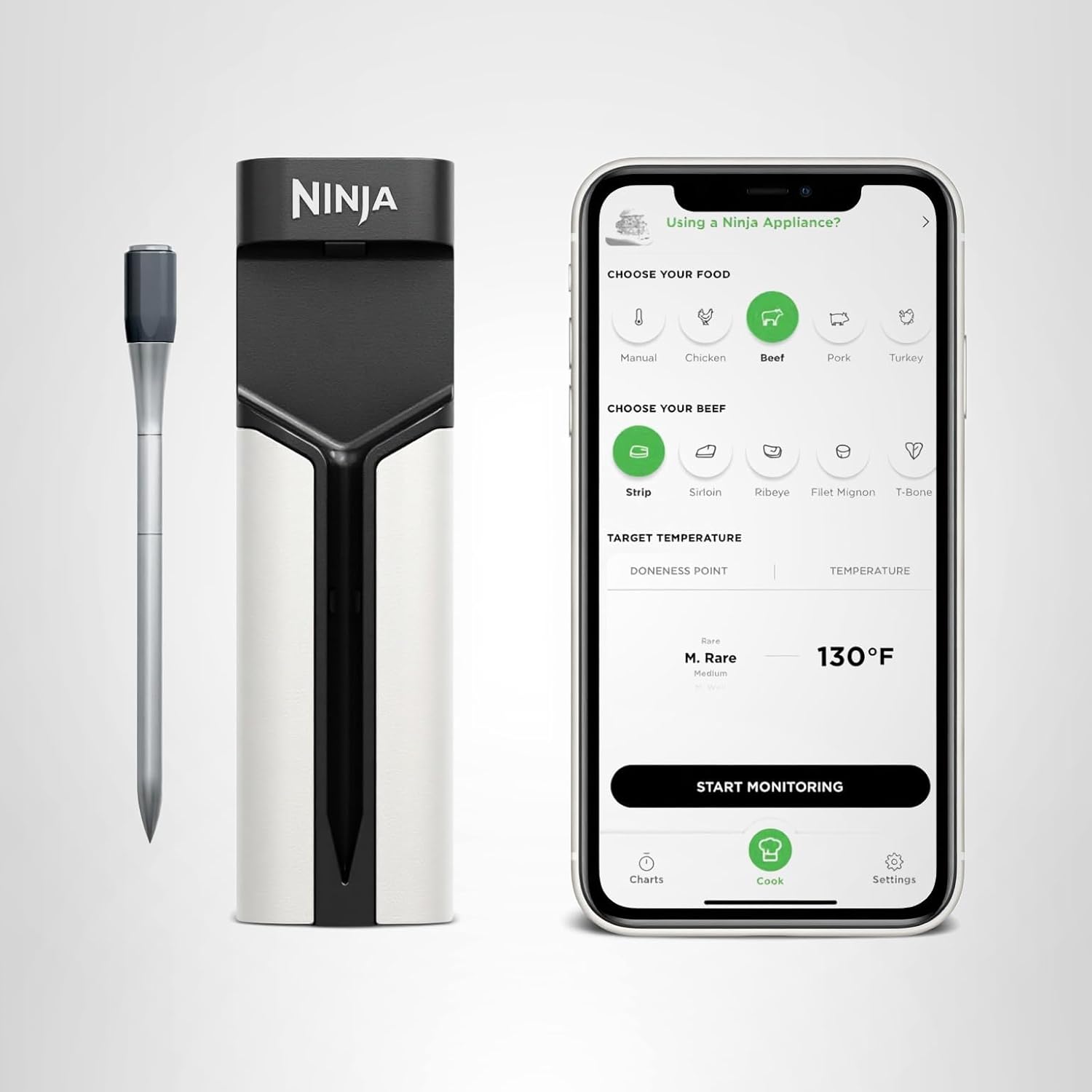 | Bluetooth + app | Dual sensors | 700°F | Auto sync with Ninja cookers ✓ | Simple ✓ | Kitchen users & families | |
1. The Four Core Features Every Smart Thermometer App Has
No matter which brand you use—Chef iQ, MEATER, or ThermoPro—you’ll see the same foundational tools. Here’s what they actually do (minus the tech speak).
🧭 Guided Cooks
Think of these as interactive recipes. You pick what you’re cooking (“pork shoulder,” “medium-rare ribeye”), and the app sets up all the right alarms automatically.
- Chef iQ Sense app: Uses an AI cook assistant that adapts your target time based on probe readings.
- MEATER app: Calculates predicted finish and rest times using dual sensors (meat + ambient).
- ThermoPro TempSpike app: Lets you build custom “cook profiles” for recurring recipes like chicken thighs or brisket.
👉 Why it matters: Guided modes teach you ideal temps and timings without needing to Google anything.
📈 Graphs
Every app has them, but few users know how powerful they are. The graph is a visual story of your cook—it shows how heat rises inside your meat versus inside the smoker.
You’ll usually see:
- Internal temperature line: Climbing steadily over time.
- Ambient temperature line: Tracks smoker or grill fluctuations.
- Target line: A goal marker set by you or the app.
How to read it:
- A flat internal line means a stall—moisture evaporating.
- Sharp dips in ambient temp mean your fire dropped.
- Smooth, upward curves mean your cook’s steady and even.
Pro Example:
On the FireBoard Pulse app, you can overlay multiple probes (brisket flat, point, and pit temp) to watch how each zone reacts. On the Chef iQ Sense app, the graph updates every 1.5 seconds for near-real-time accuracy.
🔔 Alerts & Remote Notifications
Wireless thermometer alerts are your stress-savers. Whether it’s a “Low Temp,” “Wrap Time,” or “Pull Now” notification, the goal is simple—let the app babysit your cook so you don’t have to.
- Bluetooth alerts (MEATER, ThermoPro) work within range—ideal for small setups.
- Wi-Fi alerts (Chef iQ, FireBoard) travel through the cloud, so you can monitor from anywhere.
Pro Tip: If your phone vibrates too much, use threshold alerts instead. They ping only when temps go 5°F above or below your target.
🌐 Cloud & Multi-Device Sync
This is the invisible backbone of modern smart thermometers. When connected to the cloud, your cook data is stored online and accessible from any phone or tablet.
- Chef iQ Cloud Sync: Automatically backs up graphs and lets multiple users watch a single cook—great for tag-team grilling.
- FireBoard Cloud: Logs every cook historically, complete with charts you can review later.
- MEATER Link & MEATER Cloud: Pair a second phone or tablet to extend range and remote access.
👉 Why it matters: Cloud sync means you can walk to the store, grab a drink, or even sleep during an overnight smoke without losing data—or your mind.
Product | Connectivity | Sensors | Max Heat | Smart Features | Ease of Use | Best For | Price | |
|---|---|---|---|---|---|---|---|---|
| Wi-Fi 6 + Bluetooth 5.2 | 5 sensors | 752°F ✓ | AI timers, recipes, voice alerts ✓ | Moderate setup | Power users & BBQ enthusiasts | | |
| Bluetooth 5.0 | 2 sensors | 527°F | Predictive cook/rest timers | Easiest ✓ | Everyday grillers | | |
| Bluetooth 5.2 + booster | 2 sensors | 572°F | Graphs + alerts | Very easy ✓ | Budget users | | |
| Wi-Fi + Bluetooth | Multi-probe support | >700°F ✓ | Cloud data, smart home integration ✓ | Advanced | Pitmasters & pros | | |
| Bluetooth + app | Dual sensors | 700°F | Auto sync with Ninja cookers ✓ | Simple ✓ | Kitchen users & families | |
2. How the Big Three Ecosystems Compare
Here’s a quick guide to how the most popular apps differ once you’re past the basics.
Feature | Chef iQ Sense App | MEATER App | ThermoPro TempSpike App |
|---|---|---|---|
Guided Cooks | AI-driven recipes with predictive timers ✓ | Preset meats and doneness levels ✓ | Custom cook profiles |
Graph Detail | 5-sensor heat mapping (real-time) ✓ | Dual-line graph (internal + ambient) ✓ | Classic two-line graph |
Cloud Sync | Wi-Fi 6 hub + unlimited range ✓ | Optional MEATER Cloud link ✓ | Bluetooth only |
Alerts | Multi-phase smart alerts ✓ | Cook/rest countdowns ✓ | Simple temp alerts |
Best For | Data-driven cooks & long smokes | Simple everyday grilling | Budget-friendly precision |
Verdict:
If you love data visualization and AI guidance, Chef iQ wins. If you just want clean simplicity, MEATER keeps things intuitive. And if you’re budget-minded but still want charts, ThermoPro nails the essentials.
3. How to Set Up a Smart Cook (Step by Step)
- Select your meat type in the app’s guided cook menu.
- Insert your probe into the thickest part of the cut (avoid bone).
- Set a low-temp and high-temp alarm to catch fire fluctuations.
- Watch your graph for the stall. Wrap when it plateaus around 160°F.
- Let the app predict finish time. Modern thermometers use AI models to calculate carryover cooking.
- Rest your meat until the “cooling” alert triggers. Most apps automatically track rest phase now.
Real-World Example:
In a side-by-side brisket test, the Chef iQ app predicted a 10-hour cook and finished within 12 minutes of that estimate. MEATER came in 30 minutes late, while ThermoPro hit slightly early but lacked rest tracking.
4. When Apps Go Wrong — and How to Fix It
Sometimes, the issue isn’t the thermometer—it’s the app. Here’s how to fix common frustrations:
- Graph not updating? Toggle Bluetooth off and on, or refresh Wi-Fi. Most apps cache data locally until sync resumes.
- Missing notifications? On iPhone, go to Settings → Notifications → Enable Alerts for the thermometer app.
- Cloud won’t connect? Ensure your thermometer is on a 2.4 GHz Wi-Fi network, not 5 GHz.
- Probe missing from the graph? Re-pair it via the app’s “Device Management” menu—some systems (like ThermoPro) drop idle probes after long rests.
5. The Future of Smart Thermometer Apps
Expect more AI-driven cooking in 2025 and beyond. Newer apps already predict doneness times based on protein thickness, humidity, and even weather data. Soon, your thermometer won’t just track your cook—it’ll coach you through it.
- Chef iQ is integrating voice-guided cooking steps through smart speakers.
- MEATER Cloud is testing auto recipe recommendations from your cook history.
- FireBoard is exploring group cooks, letting multiple thermometers sync to a shared session (perfect for competitions).
FAQs – Smart Thermometer Apps
Do I need Wi-Fi for smart thermometer apps to work?
Not always. Bluetooth models work fine nearby, but Wi-Fi gives you true remote control through cloud sync.
Are the graphs really necessary?
Yes—graphs tell you exactly what’s happening inside your smoker without opening the lid. Once you learn to read them, they become addictive.
Can I use multiple probes on one app?
Absolutely. Chef iQ and FireBoard support multiple probes simultaneously, while ThermoPro offers 2-4 probe models.
What happens if I lose signal mid-cook?
Your data will sync automatically once reconnected, as long as the probe and hub remained powered.
Which app is easiest for beginners?
The MEATER app. It’s minimal, intuitive, and built around predictive cooking instead of graphs.
Other Interesting Articles
- Best Wireless Meat Thermometer: Top Picks for Every Cook and Budget
- Chef iQ Sense Gen 2 vs Gen 3: What’s Actually New (and Worth Upgrading For)?
- Chef iQ Sense vs ThermoPro TempSpike: Which Smart Thermometer Gets It Right Every Time?
- Chef iQ Sense vs MEATER Pro: Which Smart Thermometer Cooks Perfect Meals?
- Chef iQ Sense vs MEATER Plus: Which Smart Meat Thermometer Truly Delivers?
About the Author
Written by HappyFoodGeek — your go-to guide for demystifying kitchen tech. From smart air fryers to Wi-Fi thermometers, we translate features into flavor so you can cook smarter, not harder.
Final Thought:
You don’t need to be tech-savvy to master a smart thermometer app—just curious. Once you know what those graphs, probes, and alerts mean, your phone becomes your best cooking partner. Whether you’re team Chef iQ, MEATER, or ThermoPro, these apps transform your grill sessions from stressful to seamless—one alert at a time.